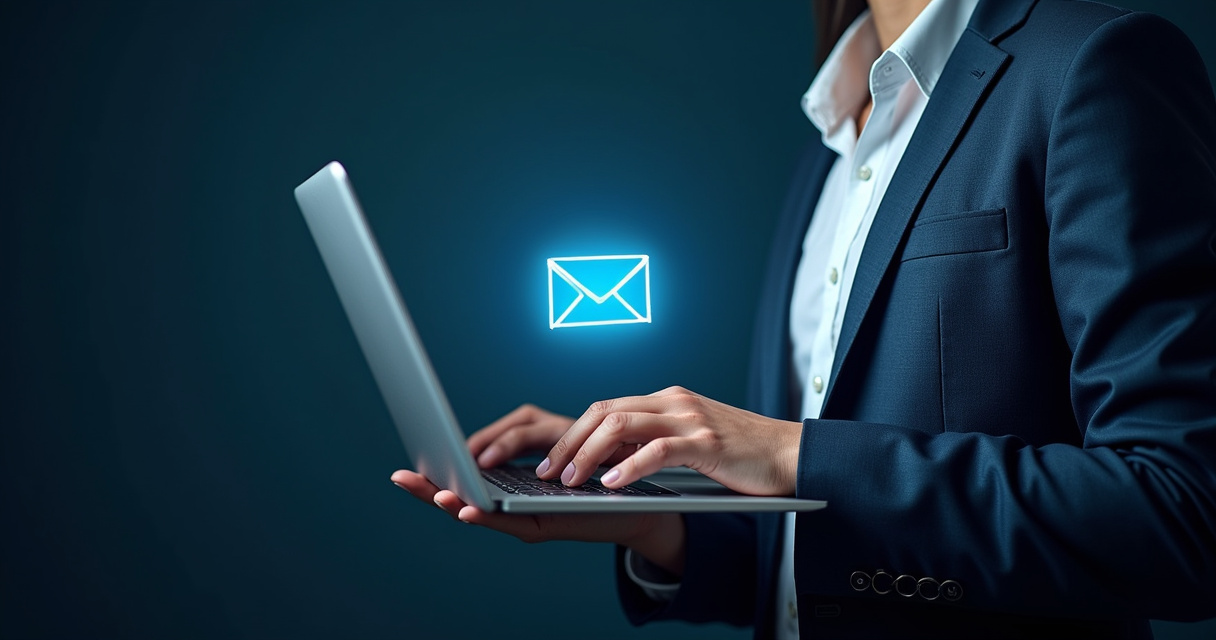
Cybersecurity threats have evolved significantly, making it essential for every internet user to understand how to identify phishing emails easily. Phishing remains one of the most prevalent attack vectors because it relies on human psychology rather than just technical vulnerabilities. By masquerading as legitimate organizations, attackers attempt to deceive recipients into revealing sensitive information such as login credentials, financial details, or personal identification. Recognizing these deceptive communications requires a systematic approach to verifying the source, content, and intent of every message received in an inbox.
Anatomy of a Phishing Attempt
Phishing emails often mimic the branding and tone of well-known services, such as banks, delivery companies, or government agencies. The primary goal is to create a sense of urgency or fear, prompting the recipient to act without thinking. A common tactic involves claiming that an account has been compromised or that a payment is overdue, requiring an immediate login to resolve the issue.
Attackers frequently use “spoofed” sender addresses. While the display name might show the name of a reputable company, the actual email address often contains subtle misspellings or uses a different domain entirely. For instance, an email claiming to be from a major financial institution might originate from a generic address or a domain that slightly alters the spelling of the company name. Inspecting the full email header is a critical step in verifying the legitimacy of the sender.
Key Indicators of Deceptive Content
To identify phishing emails easily, one must look past the visual design and examine the technical components of the message. Most phishing attempts include at least one of the following red flags:
- Generic Greetings: Instead of using the recipient’s name, these emails often use broad salutations like “Dear Customer” or “Dear Member.”
- Suspicious Links: Hovering a cursor over a button or hyperlink reveals the actual destination URL. If the URL does not match the official website of the company the email claims to represent, it is likely a phishing link.
- Urgent or Threatening Language: Phrases demanding immediate action, such as “Your account will be suspended within 24 hours,” are designed to bypass critical thinking.
- Unusual Attachments: Unexpected invoices, shipping manifests, or tax documents, especially those in compressed formats, are common vehicles for malware.
- Grammatical Errors: While some phishing emails are professionally written, many contain inconsistent fonts, awkward phrasing, or spelling mistakes that legitimate corporate communications would typically avoid.
Comparing Legitimate Emails and Phishing Attempts
Understanding the differences between authentic communications and fraudulent ones is vital for maintaining digital hygiene. The following table highlights common discrepancies found in daily correspondence.
| Feature | Legitimate Email | Phishing Email |
|---|---|---|
| Sender Address | Matches official company domain exactly | Misspelled or generic domain |
| Greeting | Personalized (Uses recipient’s name) | Generic (“Dear User”) |
| Call to Action | Directs to official, secure website | Directs to suspicious, external URL |
| Tone | Professional, informative, calm | Urgent, threatening, or overly excited |
| Attachments | Provided upon request or expected | Unsolicited and unexpected |
Technical Verification Strategies
Beyond visual inspection, users can employ technical strategies to confirm the validity of an email. Most modern email providers include built-in security features that flag potential threats. However, these filters are not foolproof.
Analyzing the email source code—often available under options like “View Original” or “Show Message Source”—can reveal the true path an email took before reaching the inbox. This technical view displays the “Return-Path” and “Received” headers, which can indicate if the email originated from a server associated with the claimed sender. Furthermore, enabling Multi-Factor Authentication (MFA) on all sensitive accounts provides a secondary layer of protection, ensuring that even if a password is compromised via phishing, the attacker cannot gain access to the account.
The Role of Awareness in Digital Protection
The most effective defense against phishing is a heightened state of awareness. Organizations and individuals should adopt a “verify, then trust” mindset. If an email seems suspicious, the safest course of action is to ignore the links or attachments provided. Instead, navigate directly to the official website by typing the URL into a browser, or contact the organization through a verified phone number or support channel.
Regularly updating software and security patches also closes gaps that phishing emails might exploit. If a browser or operating system detects a malicious link, it often provides a warning before allowing the user to proceed. Paying attention to these browser-level warnings is a final, crucial line of defense in the effort to identify phishing emails easily.
Frequently Asked Questions
What should I do if I accidentally clicked a link in a phishing email?
If a link was clicked, disconnect the device from the internet immediately to prevent further communication with the attacker. Run a full system scan with reputable antivirus software, and change passwords for sensitive accounts from a different, secure device.
Why do phishing emails often look so professional?
Attackers frequently copy logos, CSS styles, and email templates directly from official company websites. This creates a false sense of security, encouraging users to lower their guard.
Are mobile devices more susceptible to phishing?
Yes, mobile devices are often more susceptible because it is harder to inspect full URLs or view sender details on smaller screens. The interface often hides the technical information needed to verify a link, making it easier to fall for a scam.
Can I identify phishing emails easily if they have no links?
Yes. Phishing can also involve “social engineering” where the attacker asks for information directly via email, such as requesting a wire transfer or asking for passwords, without using a link. Always treat requests for sensitive information as highly suspicious.
Conclusion
The ability to identify phishing emails easily serves as a cornerstone of modern digital security. By consistently checking sender details, scrutinizing hyperlinks, and maintaining a healthy skepticism regarding urgent requests, users can significantly reduce the risk of falling victim to cybercrime. Phishing tactics will continue to evolve, but the fundamental red flags—such as mismatched domains, generic greetings, and manufactured urgency—remain consistent. Implementing proactive security measures like multi-factor authentication and staying informed about current trends in cyber threats ensures that personal and professional data remains protected. Prioritizing these habits transforms the inbox from a potential liability into a secure environment for communication.
Featured Image Credit: Generated/Sourced via Runware.ai.
Disclaimer: This article is AI-generated for informational and educational purposes. While we strive to provide high-quality context and authority, the content should not be used as professional advice. The author/website assumes no liability for external links or factual omissions.
Important Links for n8nu.online
© 2026 n8nu.online. All Rights Reserved.